
YouTube Email List Guide for Creators: Own Your Audience (2026)
YouTube now skips many subscribers' upload alerts. Here's why, and how a YouTube email list reaches every fan on every upload, with no newsletter to write.
Sublark Team
Content Team
You have thousands of subscribers, yet only a slice of them hear about each new upload. A YouTube email list closes that gap, because it is the one line to your fans that YouTube cannot filter.
This guide is the hub for everything we have written for creators about reach and email. It explains what changed in 2026, how to build a list without a newsletter, and where each deeper guide fits.
In this guide:
- Why your subscriber count is not your reachable audience
- What owning your audience means for a YouTube creator
- What changed in 2026: YouTube's inactive-subscriber rule
- Why a YouTube email list beats the bell, side by side
- How to build a YouTube email list without a lead magnet
- Sublark vs beehiiv vs Kit: which tool does which job
- A five-step plan for this week, plus every guide in this series
Your subscriber count is not your reachable audience
Your subscriber count is how many people once clicked Subscribe. Your reachable audience is how many fans you can actually reach on the day you publish, and on YouTube that number is far smaller.
Subscribing does not promise delivery. YouTube Help says, "When you subscribe to a channel, you'll automatically get personalized notifications." YouTube then decides, upload by upload, who gets a ping and when.
The bell itself may be rarer than you think. Creator Lon Seidman checked his analytics and found that "only about 10% of my subscribers actually click the bell." Of those, "just 3.9% actually enabled YouTube notifications on their device," which works out to roughly 4 in every 1,000 subscribers.
YouTube says Personalized subscribers still "will see every video that you upload in their subscription feed" (YouTube Help). That only helps if they open the feed. So every channel's reach comes in three layers:
- Subscribers: the number on your badge. Most are anonymous to you, because "Subscriptions are private by default."
- Notified subscribers: the share YouTube chooses to alert, on its own schedule.
- Reachable audience: the fans you can contact directly, every time you publish.
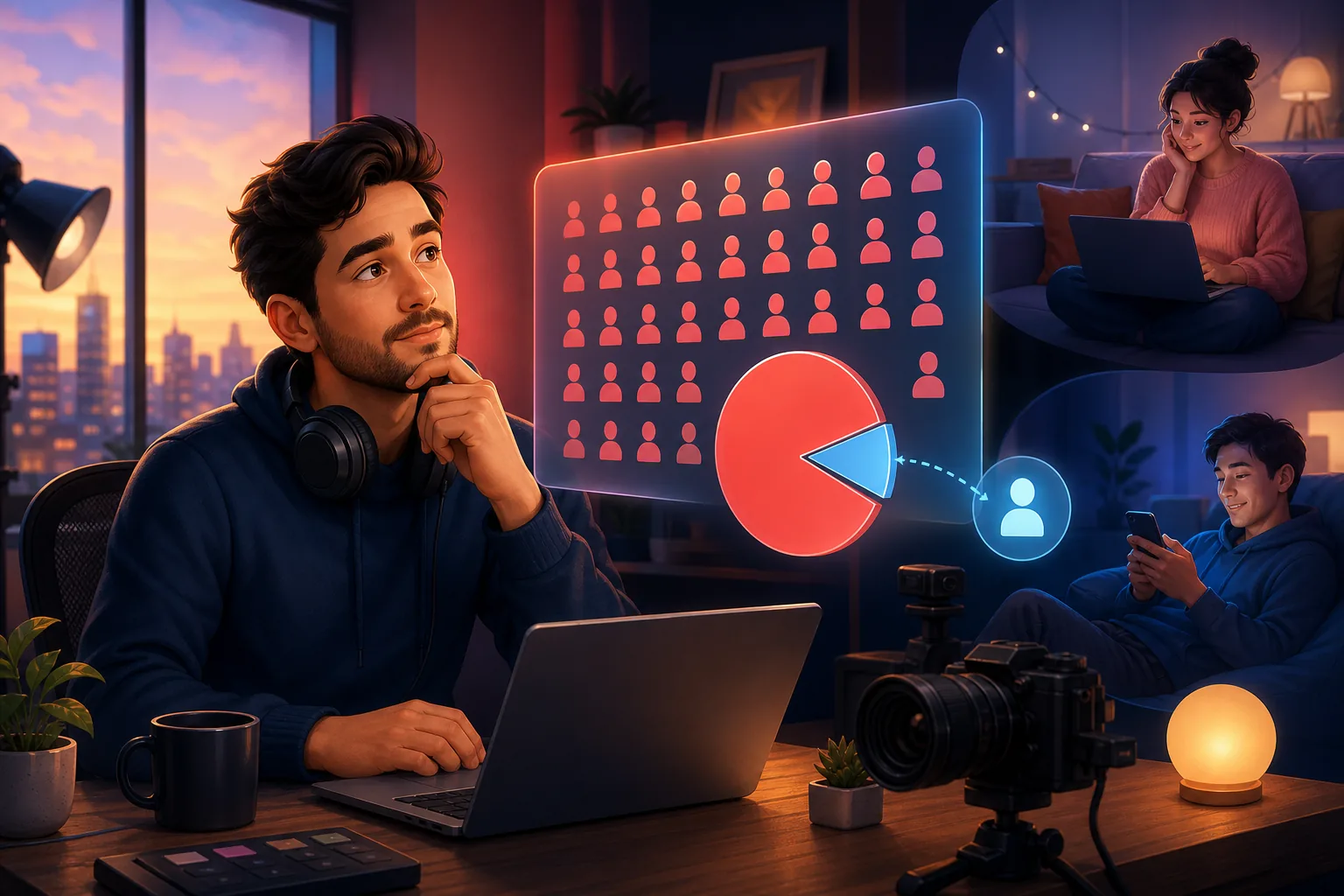
This guide is about growing that third layer. For the full arithmetic, read only ~10% of your subscribers see your uploads and subscriber count vs. reachable audience. If views fell while your count held, start with why views drop when subscribers don't, and check what counts as a view on YouTube today.
Your subscribers are also hard to see and hard to keep track of. YouTube Studio names only the ones who made their subscriptions public, as how to see who your subscribers are explains. When the count drops, losing subscribers on YouTube covers the real reasons.
What owning your audience means for a YouTube creator
Owning your audience means holding a direct line to your fans that no platform controls. On YouTube, the platform decides who sees each upload, so creators rent their reach.
Renting works until the rules change. A first Community Guidelines strike blocks uploads for 1 week. YouTube Help also warns that "3 strikes in the same 90-day period may result in your channel being permanently removed from YouTube." During a freeze, your fans hear nothing new from you on YouTube.
Here is a simple test. If YouTube changed its feeds tomorrow, or your channel went quiet for a week, could you still reach your fans? If the honest answer is "post and hope," you do not own your audience yet.

An email list passes that test. You hold the addresses, and each email reaches every inbox on the list, whether or not a fan watched your last video. We play out that scenario in what if the YouTube algorithm changed tomorrow.
The one asset you keep
YouTube subscribers live inside YouTube. An email list is portable: on Sublark you can see every fan who signed up and export the list as a CSV file at any time. If you later move platforms or start a newsletter, the list comes with you.
What changed in 2026: YouTube's inactive-subscriber rule
Since April 21, 2026, YouTube no longer sends phone push notifications to some subscribers who set the bell to All. Creators cannot switch it off, and it lands on the fans who have drifted away.
The rule arrived in three steps, according to PPC Land's timeline:
- March 26, 2025: TeamYouTube described a small experiment, with channels that upload infrequently excluded.
- February 11, 2026: YouTube began a new round of testing, which 9to5Google described as a "small" test.
- April 21, 2026: Dave from TeamYouTube announced the permanent rollout. A Spanish-language announcement followed on April 28.
A subscriber loses the phone push only when all three conditions hold at once:
- They have not watched your channel anywhere on YouTube for about a month.
- They got recent alerts from you and ignored them.
- Their bell is set to All.

Those fans are not cut off completely. YouTube Help's phone guide says they will "only receive notifications for that channel inside the app," in the bell inbox. Your uploads still reach their Subscriptions feed, and a fan who starts watching again gets push alerts back automatically.
The catch is that a drifted fan must open YouTube to see any of it. PPC Land also notes that the "Bell notifications sent" count in YouTube Studio will fall for affected channels. We explain that drop in "Bell notifications sent" dropping in YouTube Studio, and the full creator impact in what the 2026 bell change means for creators.
If fans say they never got an alert, subscribers not getting notified when you upload walks through every cause. Viewers can fix their side with our guide to YouTube notifications not working.
Why a YouTube email list beats the bell
A YouTube email list beats the bell because nothing sits between your email and the fan. The bell runs through YouTube's rules on timing, volume and engagement, while your email lands in every inbox on your list.
Here is the difference, side by side:
| YouTube bell | Your email list | |
|---|---|---|
| A new fan's default | Personalized: alerts for "some uploads" | Every public upload |
| Timing | Personalized alerts can arrive "hours after you publish" | When you approve it, or usually within the hour with Auto-Send |
| Volume limit | 3 alerts per channel per viewer in 24 hours | No cap: one email per public video |
| Fans who drifted | No phone push after about a month away | Still delivered to their inbox |
| Who holds the list | YouTube, and subscriptions are private by default | You, with a CSV export |
The 3-alert cap comes straight from YouTube Help: "Viewers can get a maximum of 3 notifications from each channel in a 24 hour period." It covers uploads, live streams and premieres. Publish more than 3 videos in a short period, and YouTube "may temporarily stop sending notifications for 24 hours."
Timing is YouTube's call too. Personalized alerts "are sent at the optimal time for each individual subscriber," while subscribers on All "are typically told within minutes." So your publish time only sets the clock for subscribers on All, as the best time to post on YouTube explains.
Even Community posts are rationed: the same page says you "can only send 1 Community post notification in a 3 day period." We compare that channel in YouTube Community posts vs email.

Email works when fans ask for it. YouTube ended its own generic upload emails in 2020 because "less than 0.1%" were opened.
Opt-in lists do far better: beehiiv reports open rates "hitting 41%+" on its platform, and Mailchimp lists a 35.63% average across all users, from December 2023 data. More numbers are in 12 stats on why you need a YouTube email list.
Your publishing choices still decide whether anyone hears about a video. Keep the box for "Publish to Subscriptions feed and notify subscribers" checked, and remember that unlisted and private videos never show in the Subscriptions feed. Our guide on how to upload a video to YouTube covers every setting that affects alerts.
The reach upgrade
Moving a fan from "subscribed" to "on my email list" is the most direct reach upgrade a creator can make in 2026. On YouTube, the platform decides whether a subscriber hears about your video. On your list, you decide, and fans get a dependable email alert for every new upload.
How to build a YouTube email list without a lead magnet
You can build a YouTube email list without a lead magnet or a weekly newsletter. Offer fans the thing they already want, a heads-up when you post, and let each upload become the email.
Most creator email advice borrows the marketer's funnel: a free PDF, a landing page and a weekly edition. That is a second job, and it is why many creators never start. Sublark is built for people who make videos instead:
- Claim your channel. Enter your @handle on Sublark's homepage and confirm the channel is yours, by signing in with the Google account that owns it or with a quick channel-bio check. Fans can then join at sublark.com/your-channel with just an email address.
- Share the link where fans look. Make it your first channel link, put it at the top of every description, pin it in a comment and mention it in your outro.
- Keep uploading. Each public upload creates an email for your list, drafted from the video in your voice, with your thumbnail and a link to watch.
You stay in control of every send. Auto-Send is off by default, so you approve each email with one click until you switch it on. With Auto-Send on, the email goes out usually within the hour, and Wait before sending can hold it for up to 24 hours.
Only public videos trigger an email. Sublark watches your channel's public uploads, so unlisted and private videos stay quiet, and a scheduled video sends once it goes public. Shorts are included unless you turn off Include Shorts.
For the full walkthrough, read how to build an email list from YouTube. For upload-day tactics, see how to notify subscribers of a new video.
Tell fans why, once
Fans can't see the bell problem from their side, so tell them once. Try one honest line in your outro: "YouTube doesn't always send my uploads to you, so the link in the description emails you every new video."
Start your YouTube email list on your next upload
Claim your channel on Sublark. Fans join with just an email, and every public upload creates an email to them, sent automatically or after your one-click OK.
Claim your channelSublark vs beehiiv vs Kit: which tool does which job
Sublark, beehiiv and Kit all send email, but they do different jobs. beehiiv and Kit are newsletter platforms for creators who write. Sublark is an upload-alert email list for creators who make videos.

| Job | Sublark | beehiiv or Kit |
|---|---|---|
| Tell fans about each new video | Automatic, drafted from the upload | You write and send each email |
| Write a regular newsletter | Not the focus | Built for it |
| Paid newsletter subscriptions | No | Yes |
| Occasional one-off update to fans | Yes, reviewed before it sends | Yes |
| Cost to start | Free to claim | See each platform's pricing page |
Pick by the job you want done. If you plan to write a serious newsletter, beehiiv or Kit is the right home. beehiiv's own report says paid subscriptions on its platform generated "$19M in 2025 vs. $8M in 2024."
If you only want every video to reach your fans, Sublark does that without a writing habit. Upload emails can carry one small sponsor ad at the bottom, and creators keep 70% of that ad revenue.
You can start with Sublark to fix reach now and add a newsletter tool later, since the two work side by side. Our beehiiv vs Kit vs Sublark comparison goes feature by feature.
A five-step plan to start your YouTube email list this week
You can set up a YouTube email list this week, and it starts growing from your very next upload. Here is the order we suggest:
- Claim your channel today. Enter your @handle on Sublark and confirm it is yours. It takes a few minutes.
- Make the signup link your first channel link. YouTube Help says your first link is "prominently displayed in the profile section near the subscribe button."
- Add it to your next three videos. Put it at the top of the description, in a pinned comment and in a five-second outro mention.
- Say why, once. Tell fans plainly that YouTube does not always alert them, and that the link emails every new video.
- Decide on Auto-Send. Approve the first few emails yourself, then switch on Auto-Send when you like how they read.
That is the whole system: no lead magnet, no newsletter calendar and no second job. Each week, open your dashboard to see who joined.
Every guide in this series
Each guide below goes deeper on one part of reaching your fans. Start with the group that matches your problem.
Understand your real reach
- Only ~10% of your subscribers see your uploads: the reach math, step by step.
- Subscriber count vs. reachable audience: how to estimate the fans you can actually reach.
- YouTube views dropped but subscribers didn't: what the drop means in YouTube Studio.
- What counts as a view on YouTube: the 2026 change to how views are counted.
- How to see who your subscribers are: what YouTube Studio shows and hides.
- Losing subscribers on YouTube: the six real reasons and what to do.
The 2026 bell change
- What the 2026 bell change means for creators: who stopped getting your alerts, and why.
- "Bell notifications sent" dropping in YouTube Studio: how to read the falling number.
- Subscribers not getting notified when you upload: every cause, and the fix.
Publish so fans hear about it
- How to upload a video to YouTube: every step, and the settings that decide who gets alerted.
- Publish to Subscriptions feed and notify subscribers: whether to leave the box checked.
- Unlisted vs private on YouTube: who sees each one, and who gets notified.
- Best time to post on YouTube: when to publish, and when fans actually get alerted.
- How to notify subscribers of a new video: an upload-day plan beyond the bell.
Build and grow your email list
- Build an email list from YouTube without a lead magnet: the full step-by-step setup.
- YouTube email list: 12 stats on why you need one: the sourced numbers behind this guide.
- How to add links to your YouTube channel: which link goes first.
- How to pin a comment on YouTube: the steps, and what to pin.
- YouTube Community posts vs email: which one reaches more fans.
- beehiiv vs Kit vs Sublark for YouTubers: what each tool is for.
- What if the YouTube algorithm changed tomorrow?: the case for owning your audience.
The bottom line
A YouTube email list is the one way to reach every fan who wants your videos, on every upload. YouTube's bell now skips drifted subscribers, delays Personalized ones and caps everyone at 3 alerts per channel a day. Email skips all of that.
You can start today without writing a newsletter. Claim your channel on Sublark, share one link, and let each upload email your fans.
Frequently Asked Questions
What is a YouTube email list?
A YouTube email list is a list of fans' email addresses that you, the creator, control and use to tell them about new videos. It is separate from your YouTube subscribers, whose addresses YouTube never shares. Fans join by entering their email on a signup page, and each new video reaches their inbox with no bell setting or algorithm in the way. With Sublark, fans join at your channel's Sublark page, and every public upload creates an email to them.
Why don't all my subscribers get notified when I upload?
YouTube decides who gets each alert. New subscribers get Personalized notifications by default, which YouTube sends "at the optimal time for each individual subscriber," sometimes hours after you publish. Each viewer gets at most 3 notifications per channel in 24 hours. Since April 21, 2026, subscribers on All who have not watched your channel for about a month, and ignored your recent alerts, get no phone push, only an entry in the app's inbox.
Can I get my YouTube subscribers' email addresses?
No. YouTube does not share subscriber email addresses with creators, and YouTube Help says "Subscriptions are private by default," so most subscribers never appear by name in YouTube Studio. There is no export. The only way to reach subscribers by email is to invite them to join a list you control. Put a signup link first in your channel links, at the top of your descriptions, in a pinned comment and in your outro, and the fans who want your videos will opt in.
Do I need a newsletter or lead magnet to build a YouTube email list?
No. A lead magnet trades a freebie for an address, and a newsletter means writing every week. An upload-alert list skips both, because the offer is the thing fans already want: a heads-up when you post. Sublark drafts each upload email for you from the video, with your thumbnail and a link to watch. You approve it with one click, or turn on Auto-Send and it goes out on its own, usually within the hour.
Is email more reliable than the YouTube bell?
For delivery, yes. The bell runs through a 3-per-day cap, Personalized timing and the inactive-subscriber rule, while an email lands in every inbox on your list. Opens still vary. beehiiv reports open rates "hitting 41%+" on its platform, and Mailchimp lists a 35.63% average open rate across all users, from December 2023 data. Email works best when fans asked for it: YouTube's own generic upload emails, shut down in 2020, were opened less than 0.1% of the time.
Is Sublark free for creators?
Yes. Claiming your channel on Sublark is free, and fans join your list for free with just an email address. Upload emails can carry one small sponsor ad at the bottom, and creators keep 70% of that ad revenue. Your dashboard shows every fan who signed up, and you can export the list as a CSV file, so the list stays yours. To start, enter your @handle on the Sublark homepage and confirm the channel is yours.
Own your audience, starting with your next upload
Claim your channel on Sublark and turn subscribers into an email list you own. Every public upload creates an email to your fans, sent automatically or after your OK, with no bell setting or daily cap in the way.
Claim your channel- Free to claim
- Auto-Send or approve each email
- Export your list any time
Just a viewer? Get upload alerts for your favorite channels →
Written by Sublark Team
Content Team
Related Articles

beehiiv vs Kit vs Sublark for YouTubers: What Each Is For
A fair comparison of beehiiv, Kit, and Sublark for YouTubers. See which newsletter and upload-alert tool fits your channel, and why you may want two.
"Bell Notifications Sent" Dropping in YouTube Studio? Here's Why
Your 'Bell notifications sent' number is falling in YouTube Studio while subscribers rise. Here's what the metric means, why it's dropping, and the fix.

Best Time to Post on YouTube in 2026 (and When Fans Get Alerted)
The best time to post on YouTube, from 2026 data and your own Studio report, plus how YouTube times subscriber alerts and how to schedule uploads.
Turn your subscribers into an audience you own
Claim your channel and every upload emails your real fans automatically. No newsletter to write, no algorithm in the way.
Claim Your Channel — Free